Photo Print for your sheets. PhotoBook Maker for your stories. The Studio Bundle includes both, with a separate license key for each application.
Two apps · Two license keys · Up to two personal Macs per app
+
€14.98€11.99
one-time purchase
Save €2.99 compared with buying separately.
02 / SIMPLE LICENSING
Buy once. Keep creating.
Choose one app or the complete Studio. No recurring payments and no automatic charge when your trial ends.
INKLAYOUT
Photo Print
€4.99
one-time purchase
One app license · Up to two personal Macs
Full trial for 7 days, no card required.
INKLAYOUT
PhotoBook Maker
€9.99
one-time purchase
One app license · Up to two personal Macs
Full trial for 7 days, no card required.
INKLAYOUT STUDIO
Studio Bundle
€11.99
one-time purchase
Both apps · Two separate licenses
Save €2.99 compared with buying separately.
Intended final EUR launch prices. Tax configuration is being finalised before sales open.
03 / FROM DOWNLOAD TO PAPER
A few clear steps.
01
Install
Download the Direct DMG for your app, open it and drag the app into Applications. Eject the disk image and launch from Applications.
02
Try it fully
Connect once to start your 7-day trial. Use all features during the trial; no card and no automatic purchase.
03
Activate once
Buy a license when you are ready. Enter the key in the app’s License / Trial screen while online, then keep using the activated app offline.
04 / INSIDE THE APPS
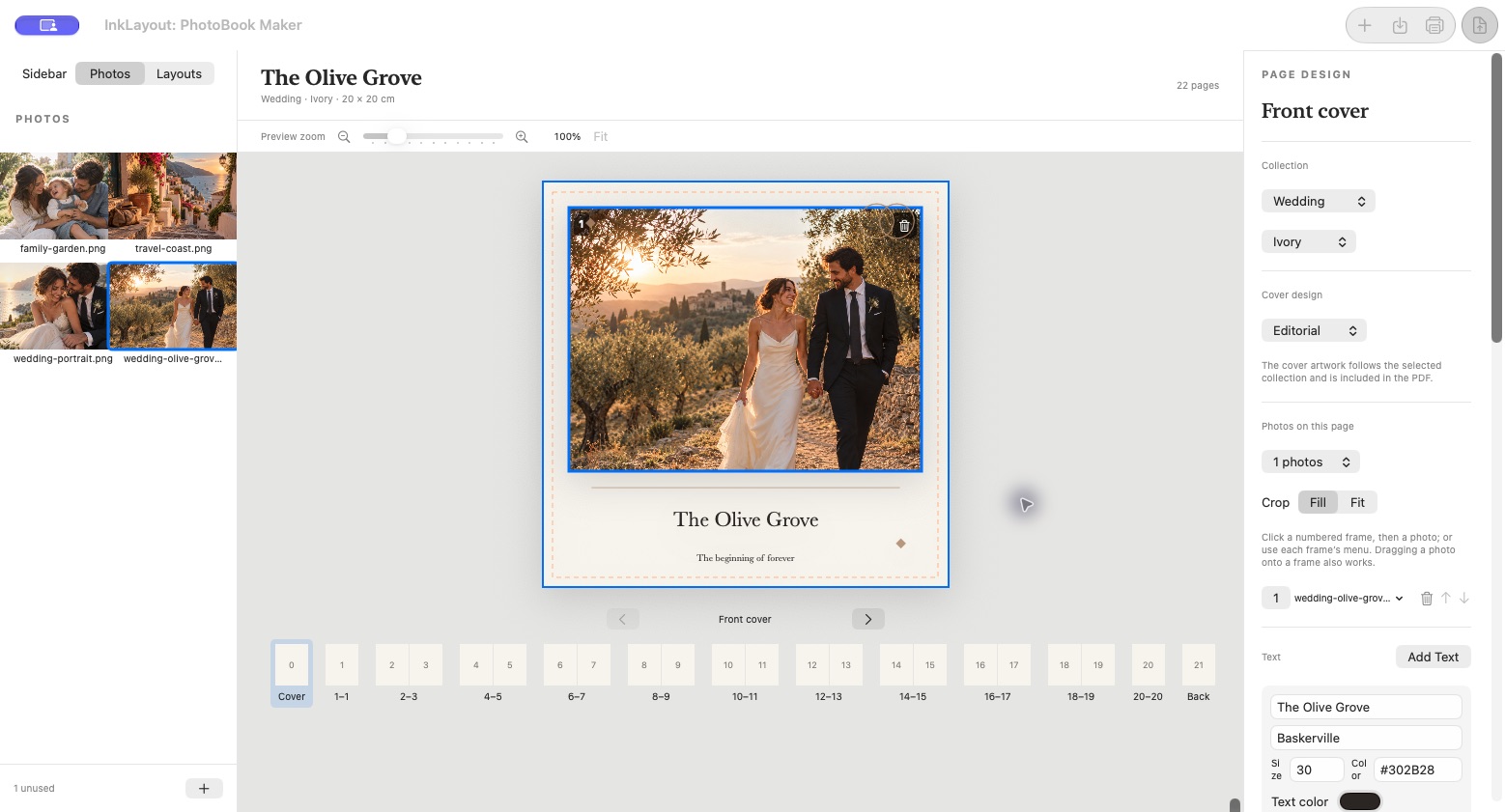
The actual tools, up close.
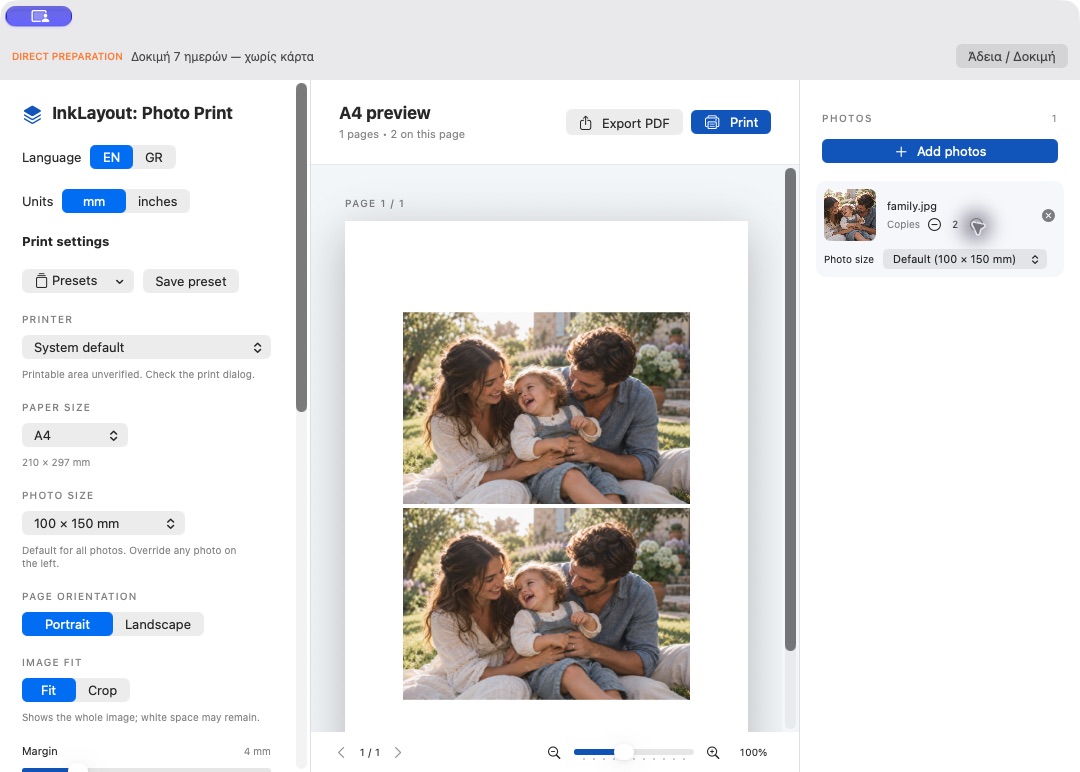
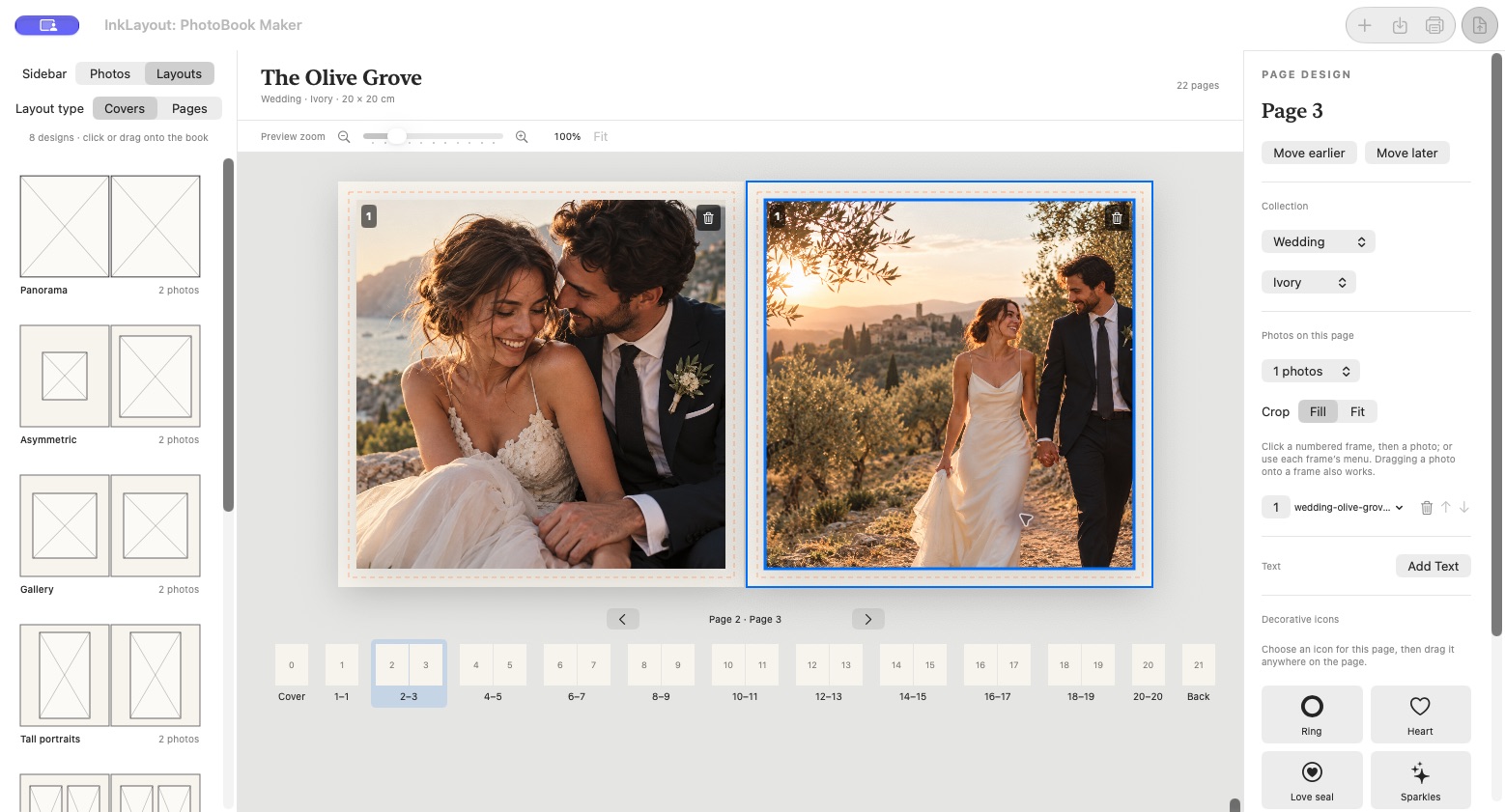
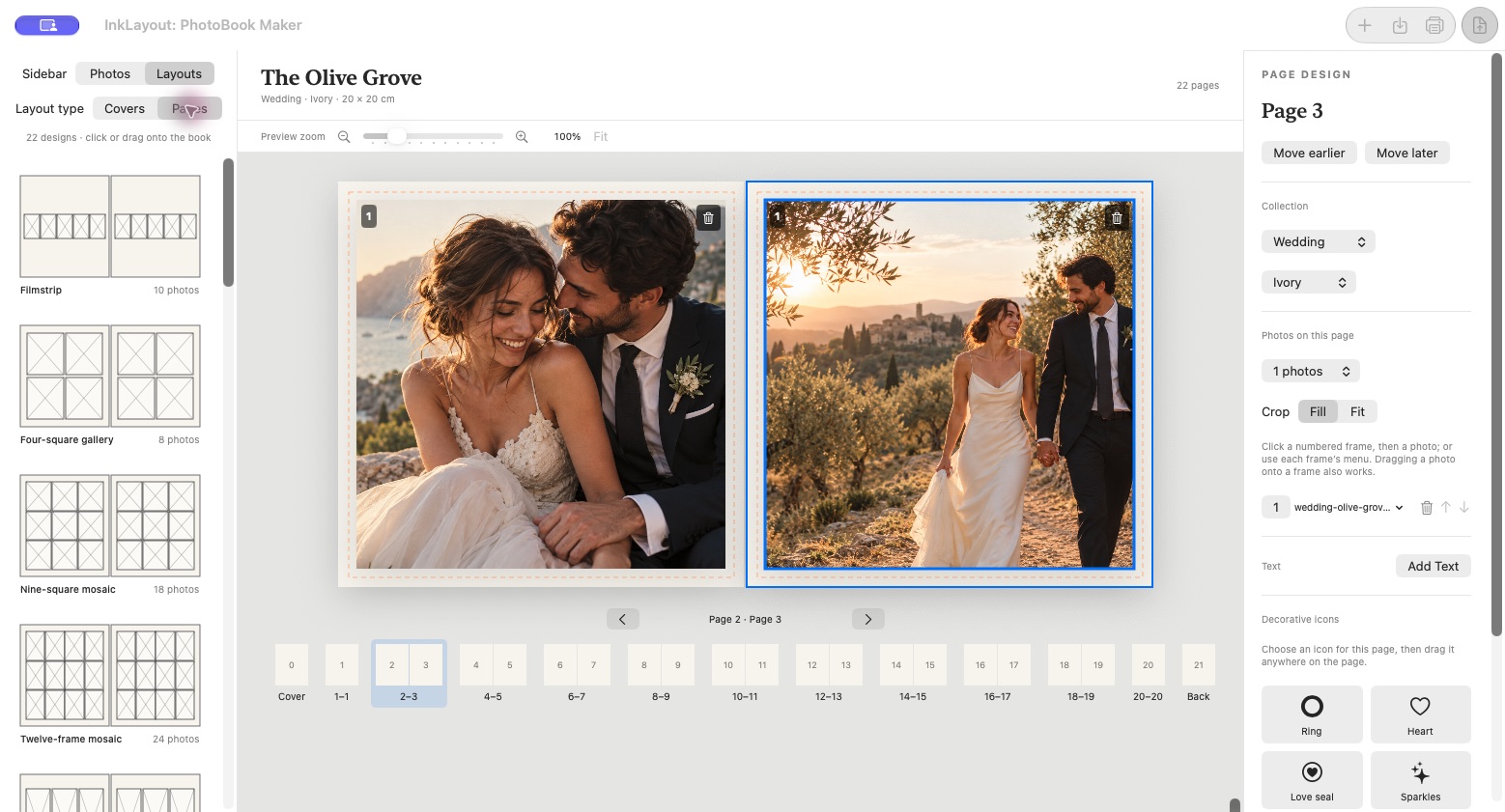
Real screenshots of the apps. Photographs shown inside the editors are sample images.
Design the coverCompose a spreadChoose a layout
05 / GOOD TO KNOW
Before you get started.
7-day full trial · No card · No subscription
What happens after the 7-day trial?+
There is no automatic charge. PhotoBook Maker still opens and saves your projects, but PDF export requires a license. Photo Print requires a license for PDF export and printing.
Does the trial need the internet?+
Yes, an initial connection starts the server-backed7-day trial. After that initial start, you can use the remaining trial period offline.
Can I use a purchased app offline?+
Yes. Activation needs an internet connection. Once activated, the signed certificate is verified locally and the app can be used offline.
How many Macs can I activate?+
Each application license supports up to two personal Macs. The Bundle gives you a separate license for each app, with the same two-Mac limit per application.
Can I move my license to another Mac?+
Deactivate it in the app while online, then activate on the new Mac. If a Mac is lost or unavailable, contact support with your order number so we can verify ownership and release that activation.
Is this a subscription?+
No. Each purchase is a one-time app license. The trial requires no card and never turns into an automatic charge.
How do I install it on my Mac?+
Use the Direct DMG for the application, drag it into Applications and open it there. macOS may ask you to confirm the first launch. We will provide signed and notarized final downloads before release; do not disable macOS security protections.
Will the photobook PDF be ready for any printer?+
The app exports individual pages in reading order at your chosen size. Confirm page count, bleed, binding and colour requirements with your printer. Booklet imposition is a separate print-production step.
Are updates included?+
The license is a one-time purchase, not a promise of lifetime major upgrades. Release notes and verified update instructions will be provided here. The automatic update channel is not public yet.
06 / HELP FROM THE PEOPLE BEHIND IT
Let’s get your work onto paper.
For installation, activation or layout questions, email us with the application name, version and what you are trying to do. For license transfers, include your order number. Never send passwords or payment details.
 InkLayout: Photo Print